02 · Board

We put the meeting in front of each member.

Each member opens the pack, adopts the minutes and records their actions in a browser, on any device.

The portal · what a member sees

One screen shows the member's whole meeting.

Each member signs in and finds their next meeting.
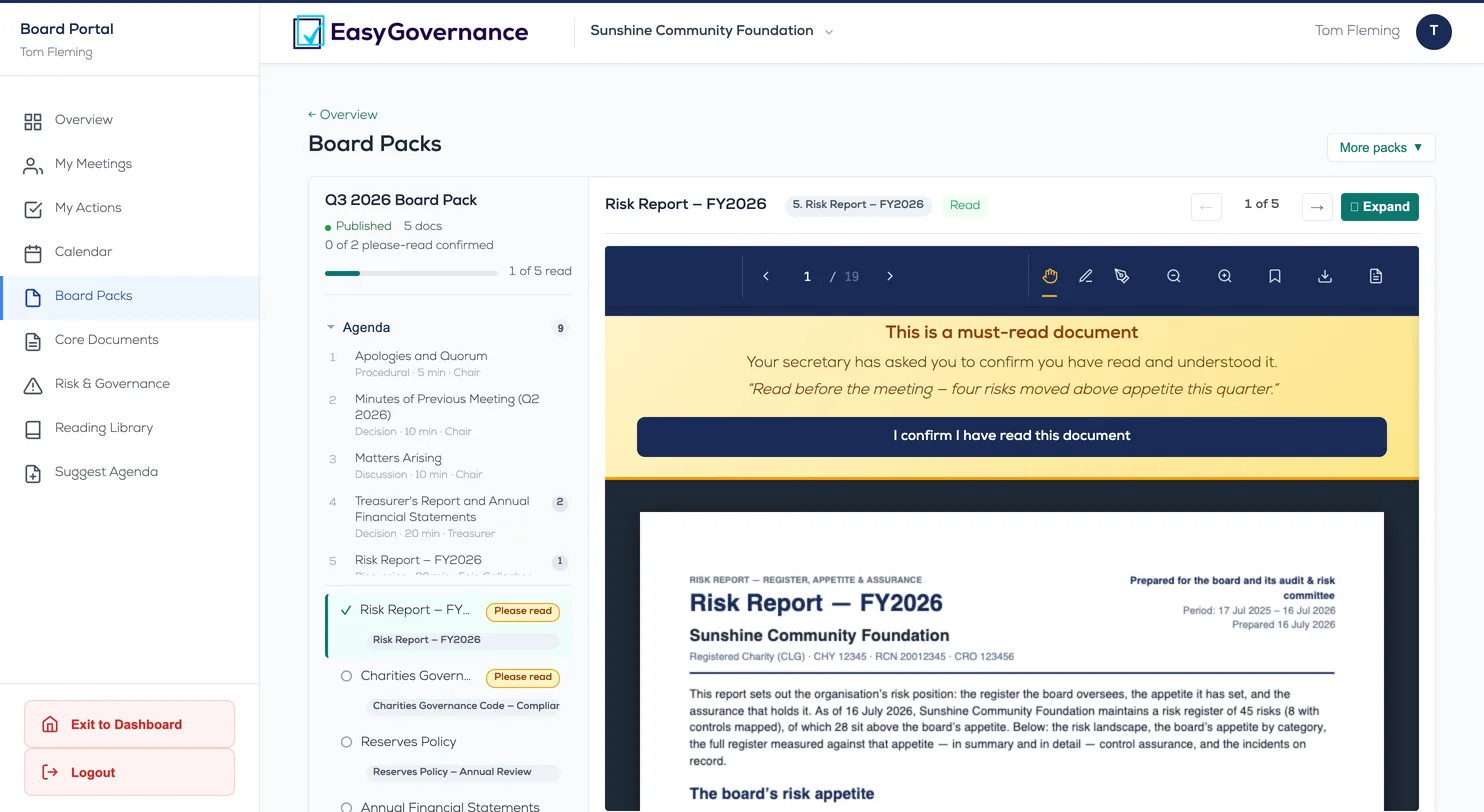
The board portal — a member's Q3 pack open: the meeting agenda listed down one side, a board paper open beside it, and the please-read confirmation waiting at the top

The board portal as our demonstration organisation runs it: a member's Q3 pack, agenda and papers open together.

Published

The pack reaches each member's portal when it is ready. PDF and Office papers open in the browser, and you see who has read each one, and when.

Approved

The chair approves the minutes in the portal, and the approved record files to the vault with the name and time.

Carried

Each decision becomes an action, assigned to a member with a date, and closed in the portal.

The record

The minutes are the legal record, approved and timestamped.

Each step files to the vault, with the resolutions recorded against the meeting that passed them and, where the board votes, the count for, against and abstaining.

Draft→Chair-approved→Circulated→Adopted & filed to the vault
One vault

The meeting feeds your governance evidence.

Adopted minutes, resolutions and actions file in the same vault as your compliance evidence and income records.

Pack→Meeting→Minutes→ The vault

Common questions

Do board members need training?

Not to get started. Members sign in with a browser and find their pack, minutes and actions, with nothing to install. For fuller use, such as notes, approvals and editing papers in Word, we recommend a short training session for the board, though it is not a requirement. Members at home with technology tend to pick it up on their own; everyone else can use it from the first day and gets more from it after a session.

Can members leave notes on a paper?

Yes. Leave a note beside the paper for the members you name: they see it, and no one else in your organisation does. A note once sent stays as written; its author can add to it, never rewrite it. Notes never leave in an email: members are told there is something for them, and read it after signing in.

Does it work with our calendar?

Yes. Subscribe to the board's calendar from your calendar app, and each meeting appears there.

Do we need Microsoft Office?

No. Every paper opens in the browser. If your organisation uses Microsoft 365, it can switch on editing in Word: whoever is preparing a paper signs in with their Microsoft account, opens it in Word for the web, edits it there, and files it back as a new version on the record. Your IT administrator approves the app once.

If we stop paying, do we lose the minutes?

No. The vault belongs to your organisation. Adopted minutes, resolutions and packs remain yours to read and download whether or not you subscribe.